

MavenOSMoving Over
Leave Your Old Setup Without Starting Over.
Move In brings your records over from a connected base, one area at a time, and client lists from a CSV file. Your old setup is only read, keeps running until the numbers match, and the whole move can be undone.
A Move You Can Check.
Most Migrations
- ExportEverything, at once
- MappingDo it yourself
- MistakesFound later
- Old systemOff on day one
Move In
- One area at a time, starting with Finance.
- MavenOS suggests where each field goes. You confirm.
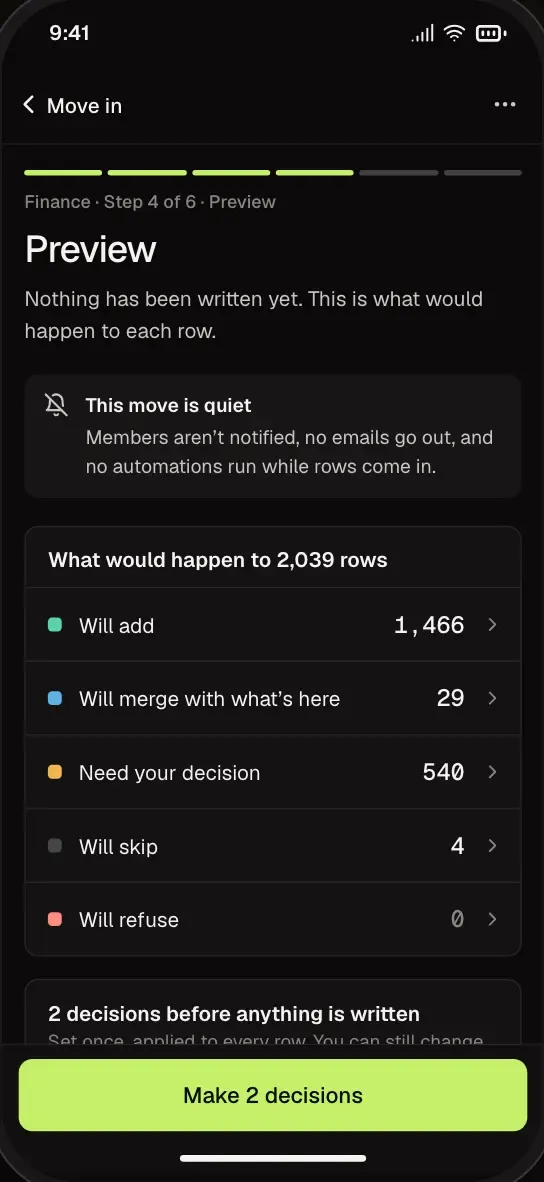
- See every record before anything is written.
- Your old setup keeps running until the numbers match.
Connect
Read-Only, From the First Click.
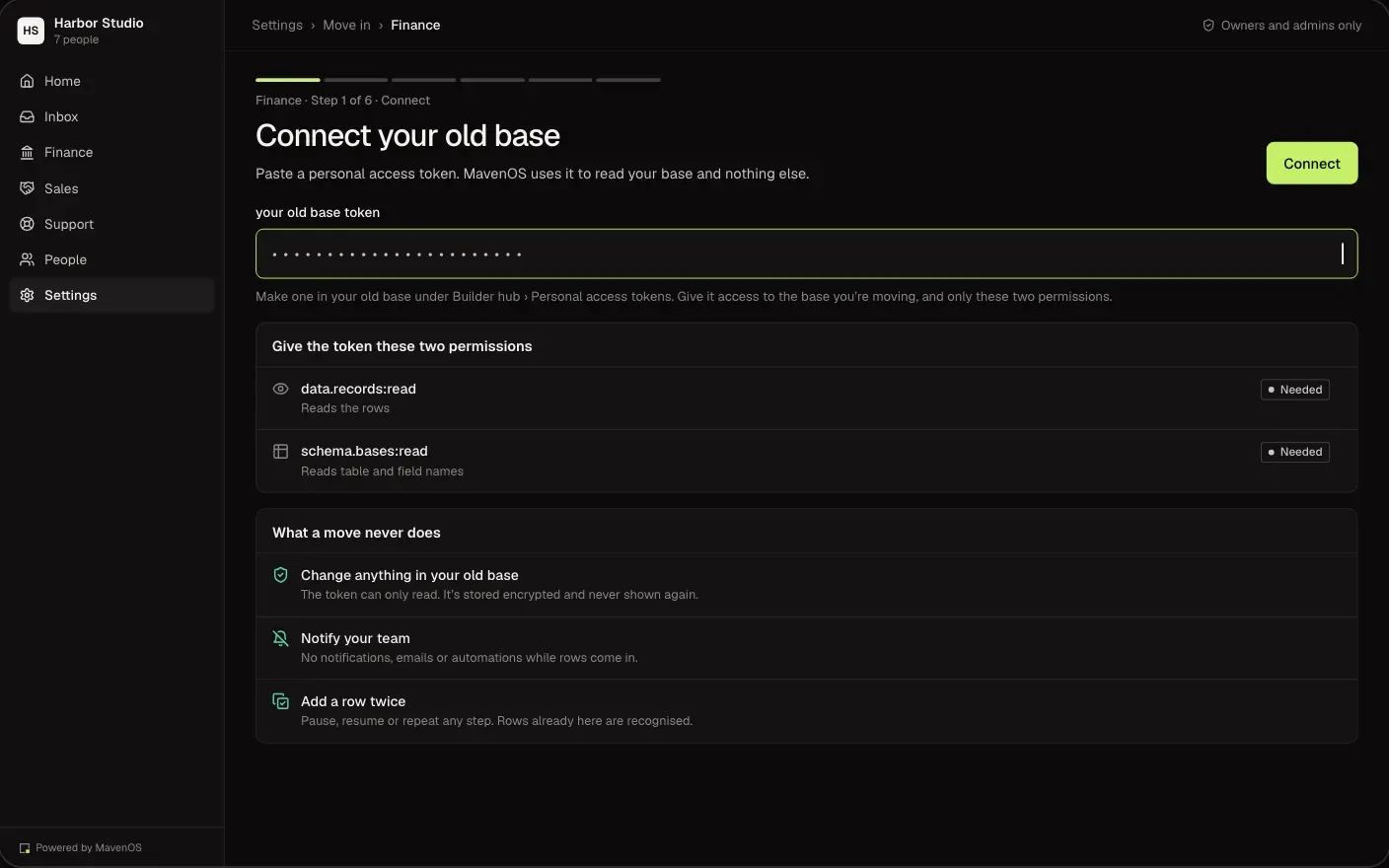
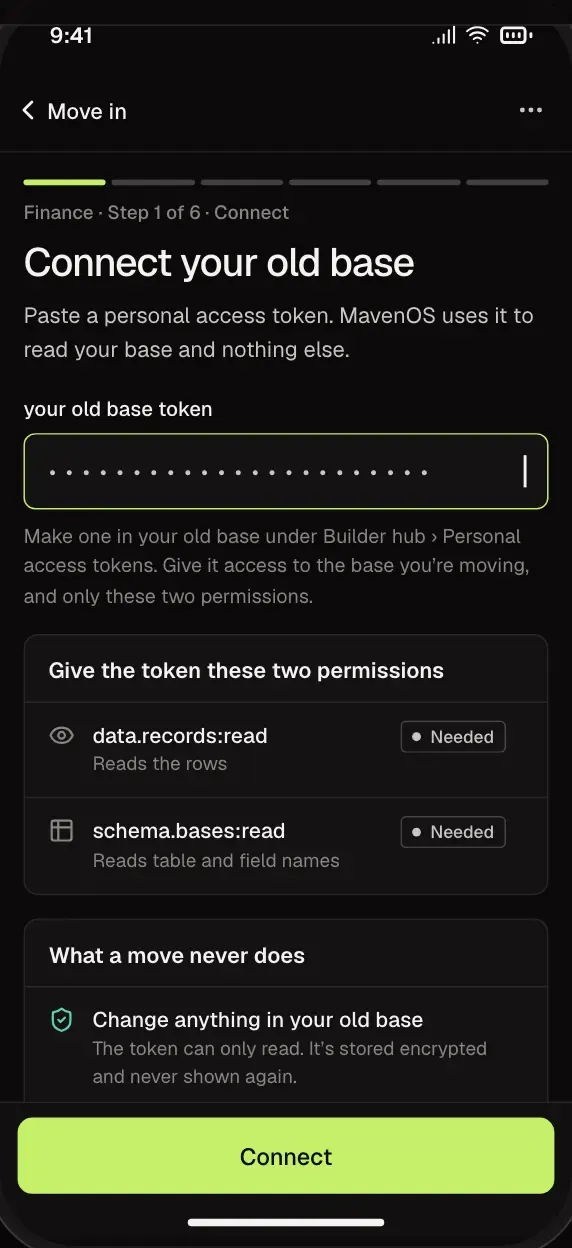
Connect where your records live today. MavenOS only reads them, so nothing in your old setup changes, and the access is deleted when you're done.
- Read-only access, deleted at the end.
- Start with Finance, then Sales.
- Your old setup keeps running the whole time.
Match
Fields Matched for You, Checked by You.
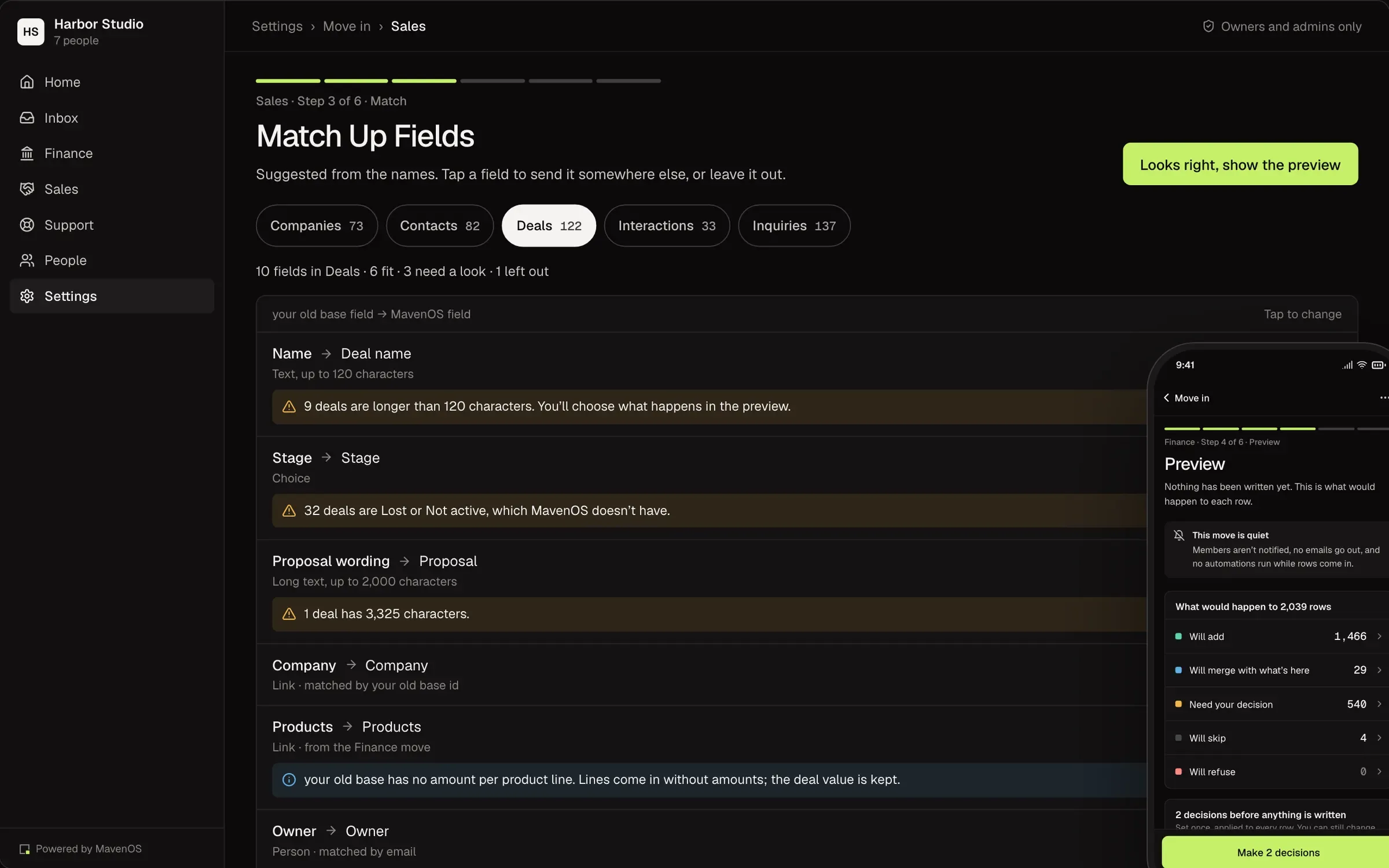
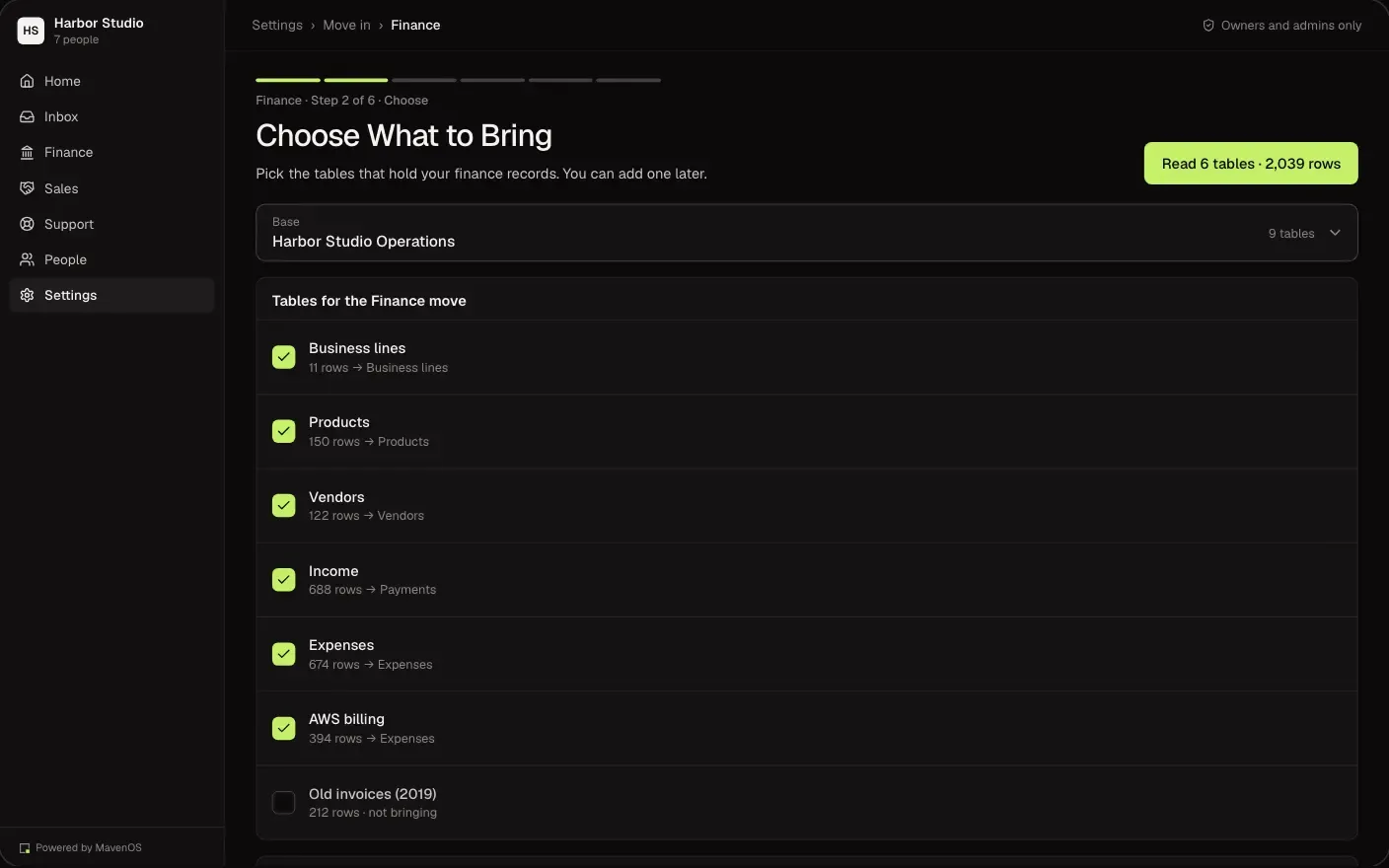
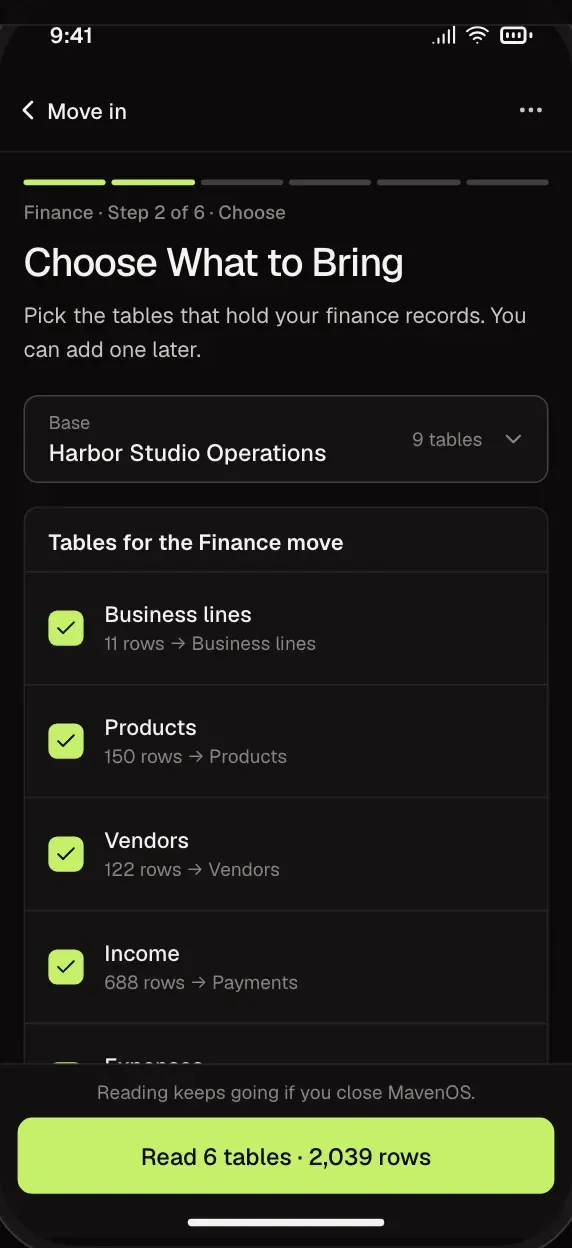
Pick the tables to bring over. MavenOS suggests where each field belongs, and you confirm or change it.
- Suggestions for every field.
- Leave out anything you don't need.
- Links between tables are kept.
Decide
Odd Records Are Asked About, Not Guessed.
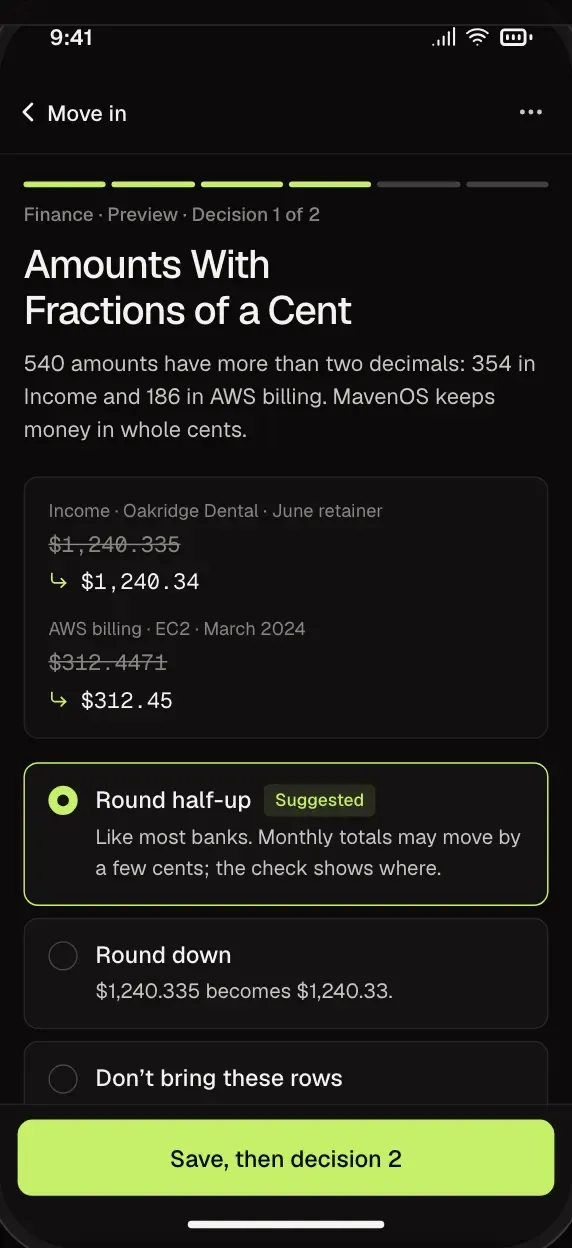
When a record doesn't fit, like an amount with a fraction of a cent or a 1-to-10 scale where MavenOS uses 1 to 5, you see it and choose what to do.
- Each choice shows exactly what changes.
- Fix rows by hand, or at the source and read again.
- Refused rows are listed with the reason.
Check
Month by Month, Side by Side.
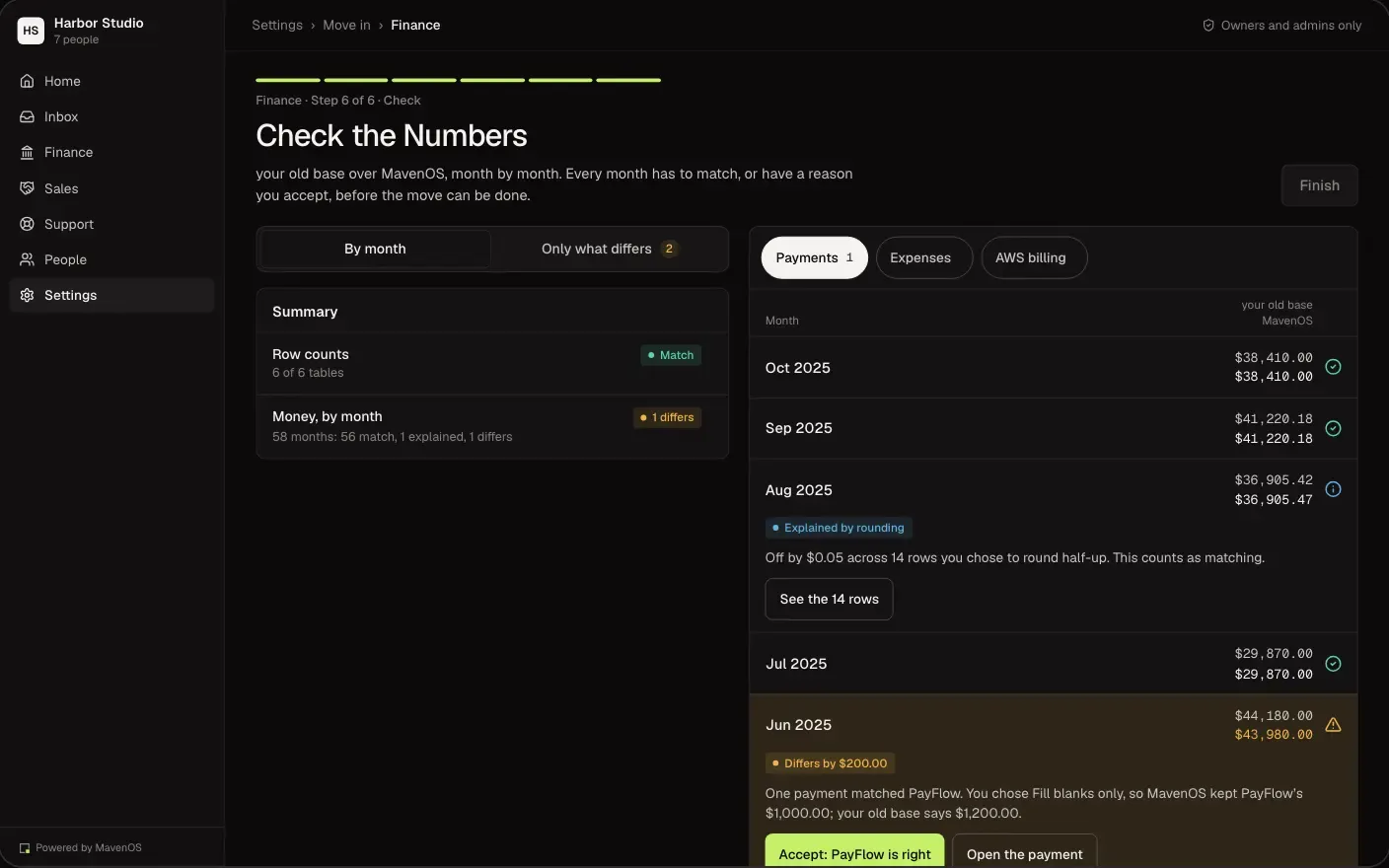
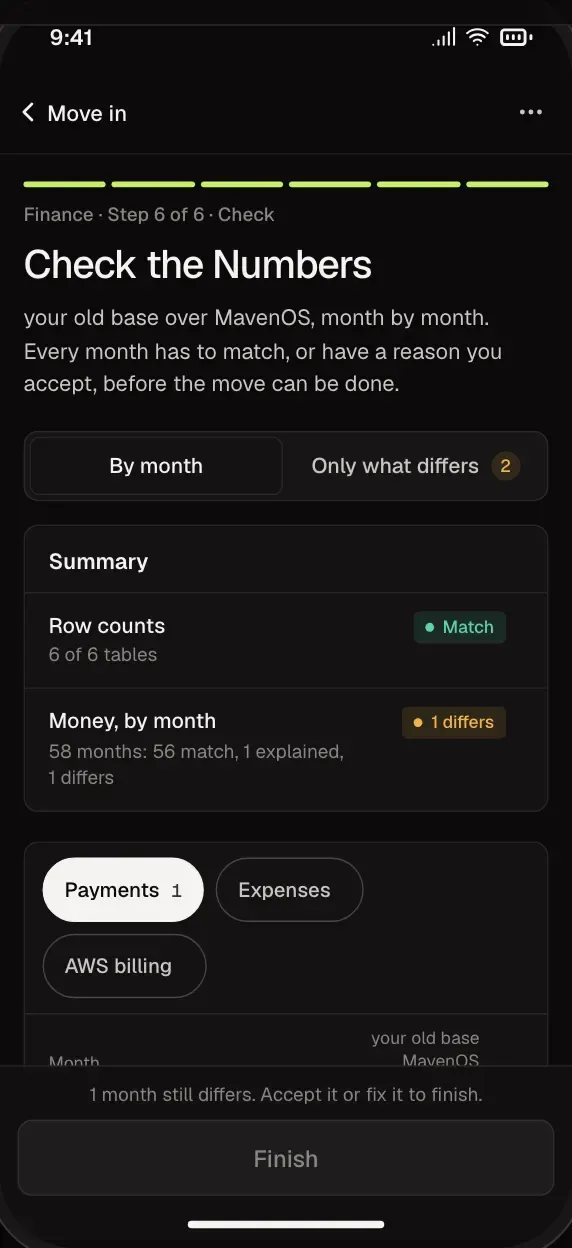
Before you switch, compare your old numbers and MavenOS's month by month. Any month that doesn't match says why.
- Totals compared for every month.
- Differences explained, row by row.
- Accept a fix, or keep the original.
Undo
Undo the Whole Move in One Step.
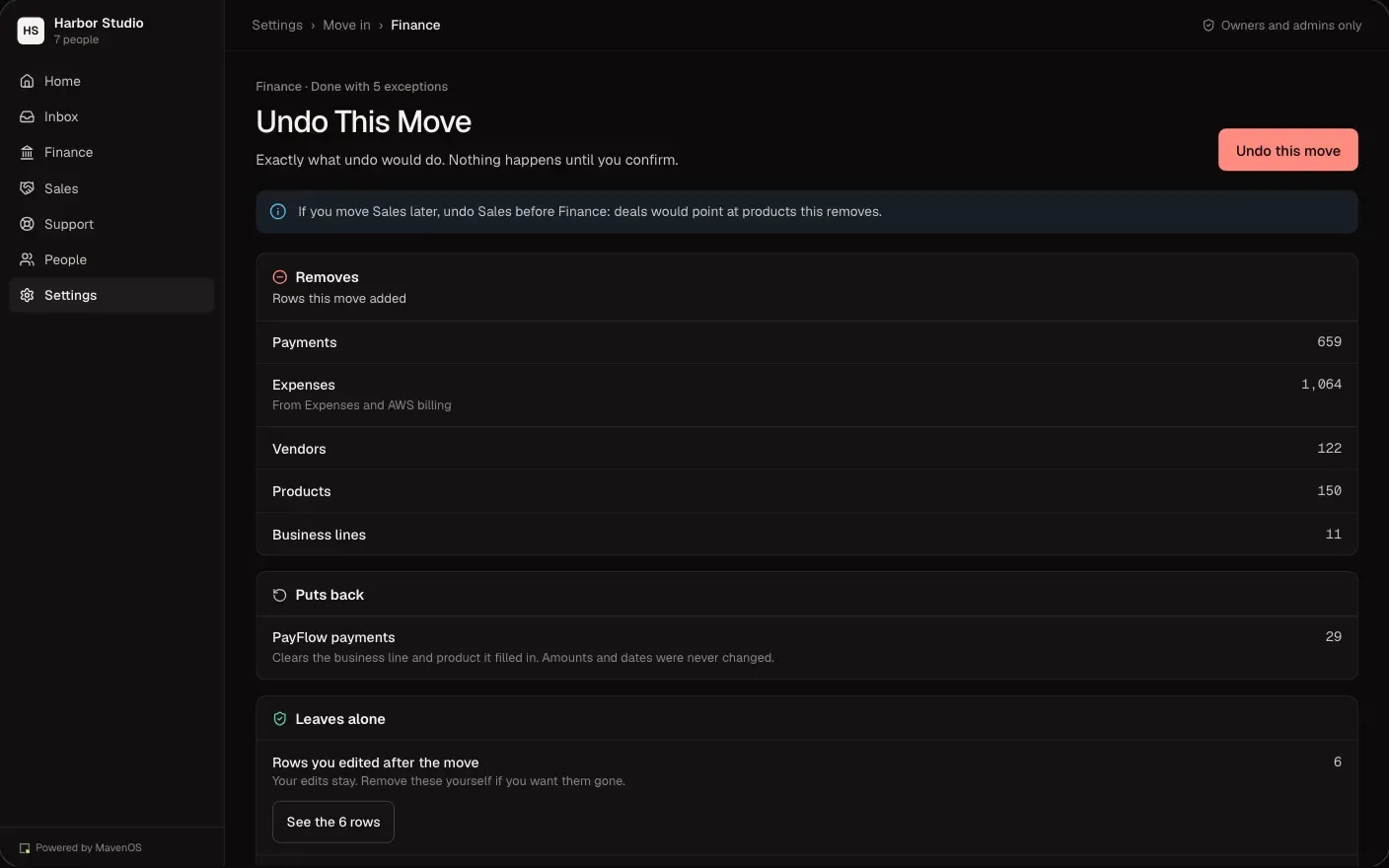
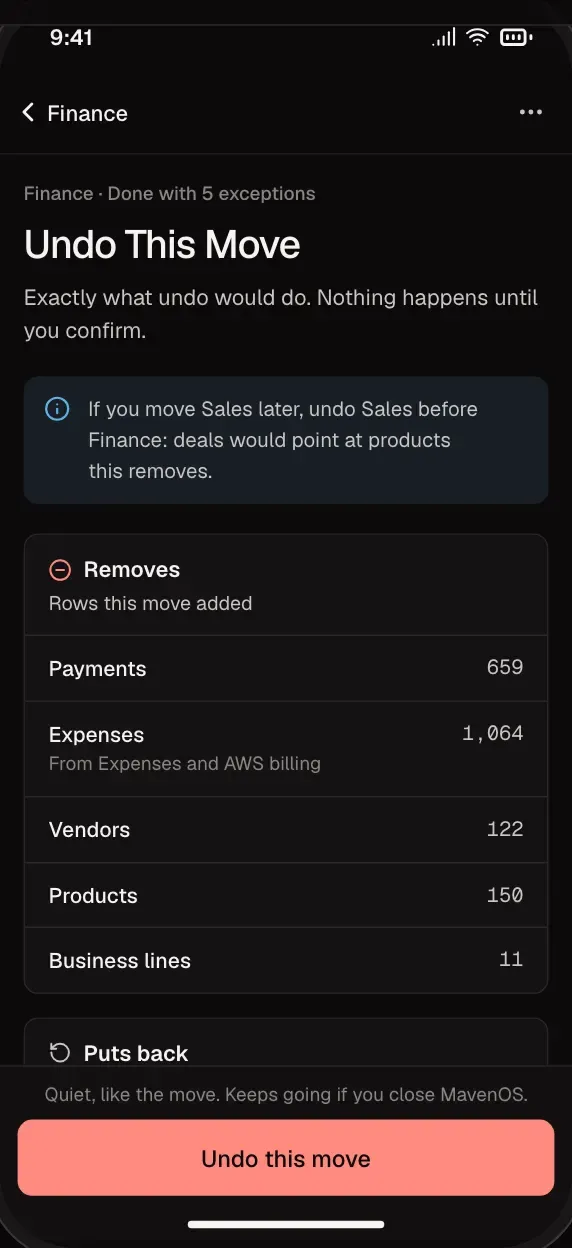
If something looks wrong, put everything back the way it was. Your old setup was never touched, so you can start again whenever you like.
- See exactly what will be removed first.
- Rows made in MavenOS since are kept.
- Start again with a fresh read.
A connected base, for Finance and Sales, and CSV files for client and contact lists. Tell us what else you use and we'll tell you how it could come over.
No. MavenOS only reads it, and the access is deleted when you mark the move done.
No. Move one area at a time, starting with Finance, and keep the rest where it is until you're ready.
Yes. The Maven X team can do the move with you. They only open your workspace with your approval, for a set time.
The check shows which months are off and why. Fix them, or undo the move in one step.
More of MavenOS.
All 13 ToolsRun the Business. Not the Spreadsheets.
We're letting businesses in a few at a time. Tell us a little about yours and we'll be in touch.