

The Operating System for Your Business.
Your money, sales, client work, time and team in one workspace, explained in plain English. On your computer, your iPad and your phone.
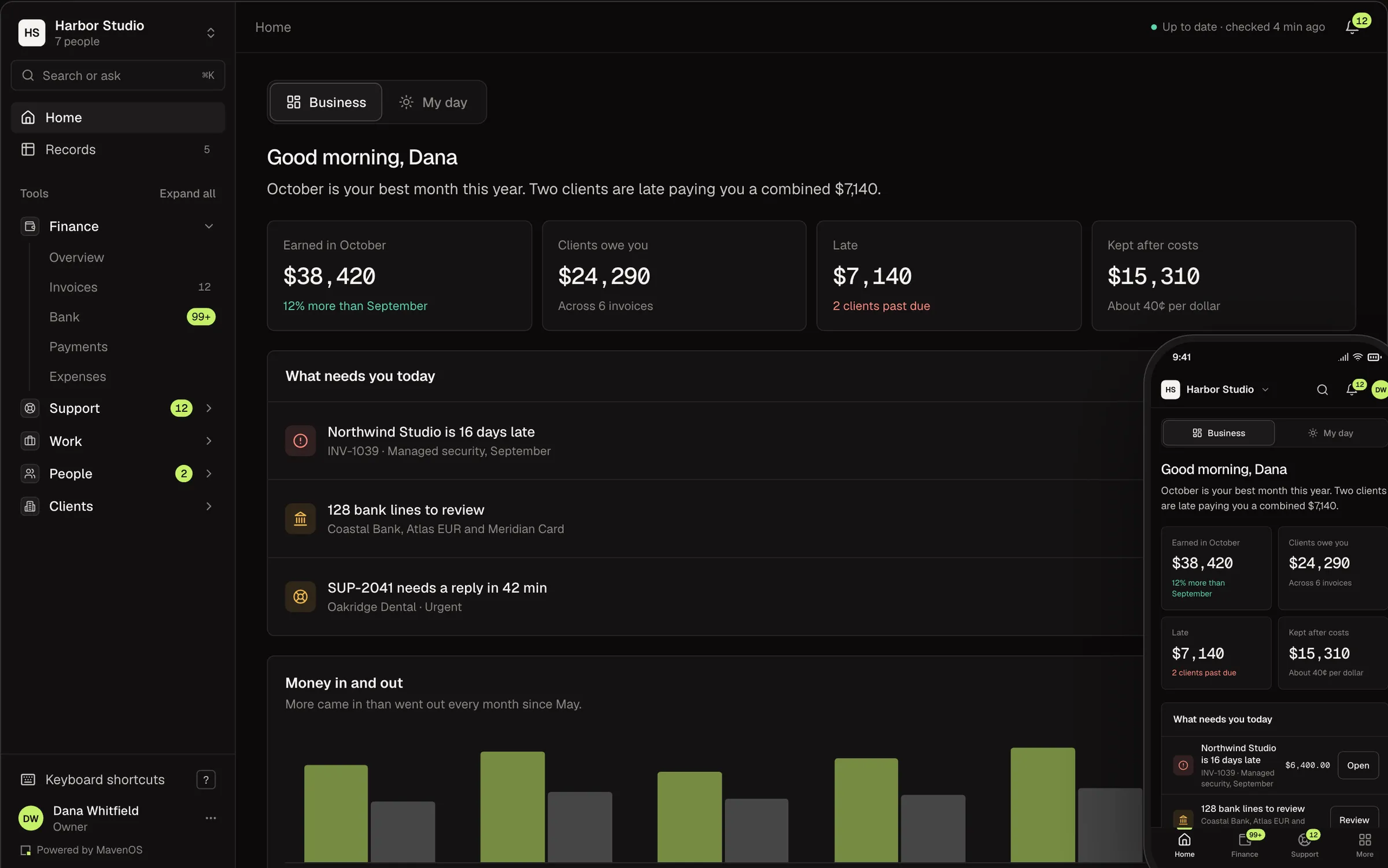
Your Business, in Plain English.
Most software hands you a ledger and leaves the reading to you. MavenOS tells you what the numbers mean: who owes you, what's late and what to do about it.
What Most Tools Show
- A/R aging 31–607,140.00
- DSO34.2
- Net margin39.8%
- INV-1039OVERDUE
An Example of What MavenOS Says
- Two clients are late paying you 7,140 dollars. The oldest is 7 days late.
- Clients take about 24 days to pay you.
- You kept 40 cents of every dollar you earned this month.
- Northwind Studio is 7 days late. Draft a reminder?
One Workspace. Every Part of the Business.
Pick a part of the business to see the screens behind it.
Start the Day With What Needs You.
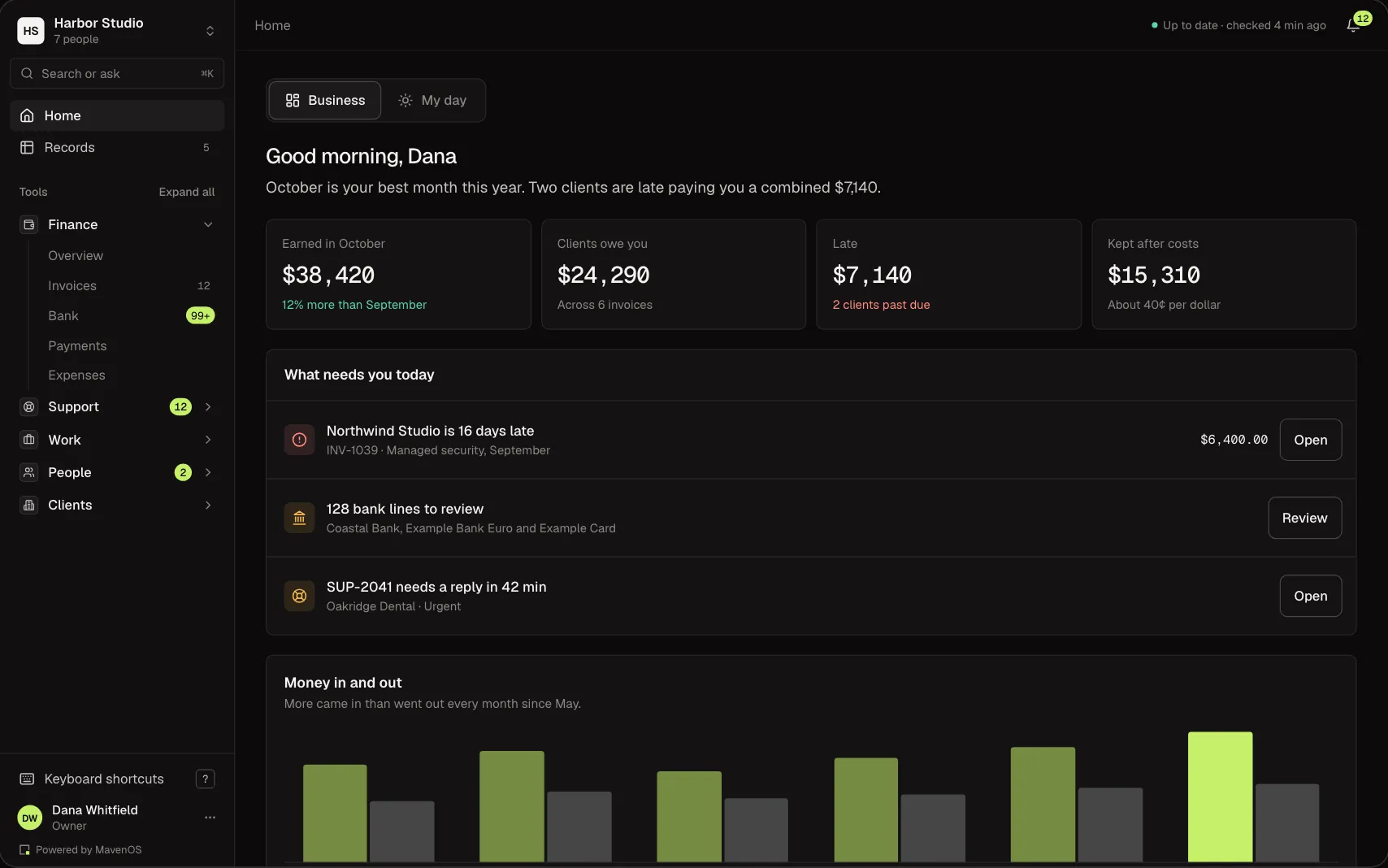
Home pulls what's late, waiting or due today out of Work, Finance, Sales, Support, People and Time into one list, with the next step beside each item.
- Owners and admins see how the business is doing. Members see their own day.
- Run more than one business? Switch workspaces without signing out.
- The bell and search (⌘K) are one tap away on every page.
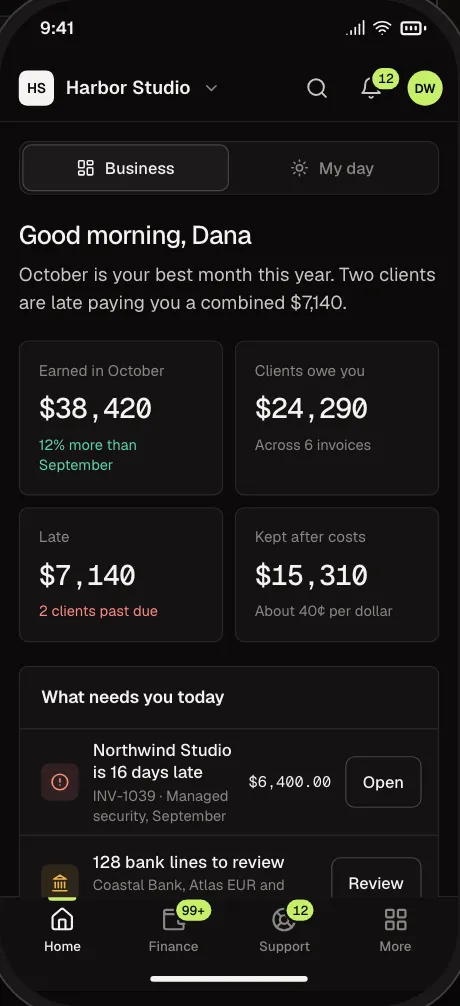
Use It on Your Phone and iPad.
Every tool works on a phone and an iPad. On a phone you get tabs at the bottom, big tap targets and sheets that slide up instead of pop-ups. Add it to your home screen and it opens like an app.
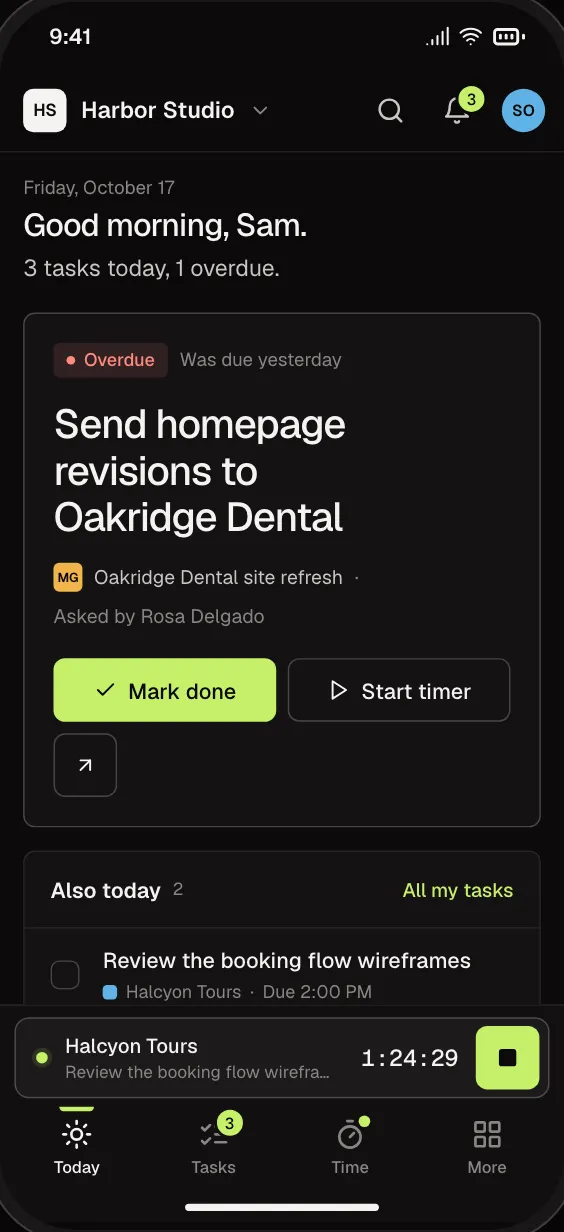
Your Day, in Your Pocket
What's due, what's waiting on you and your timer.
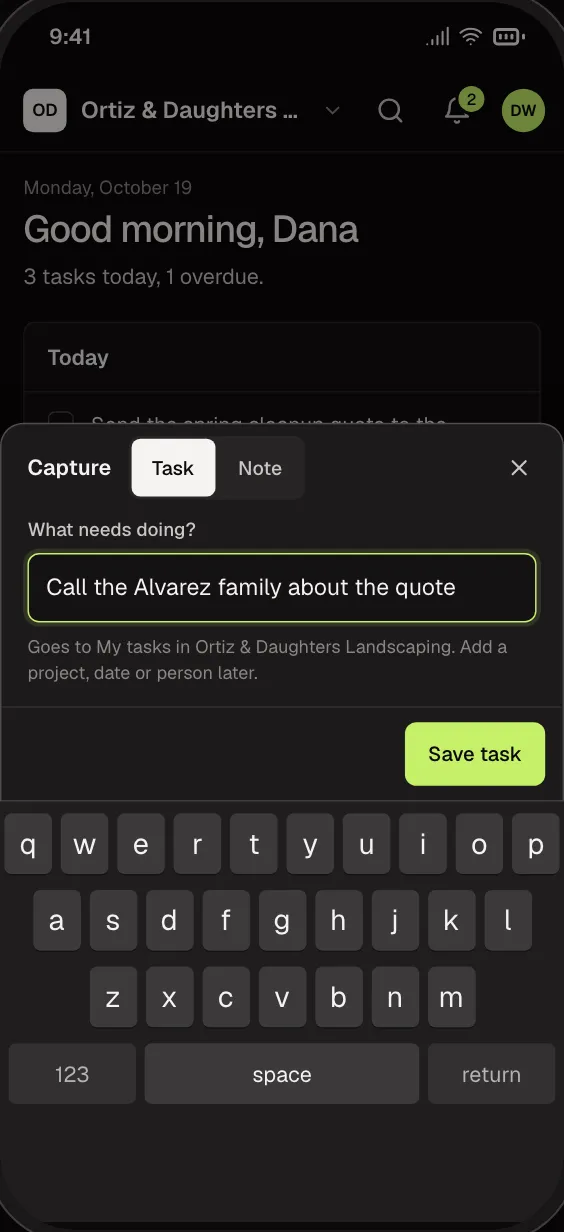
Snap a Receipt
When receipt capture is on for your workspace, take a photo of a receipt on your phone. Finance gets a suggested bank line to confirm. Tasks, notes, time entries and receipts you write with no signal wait and send once you're back online with the app open.
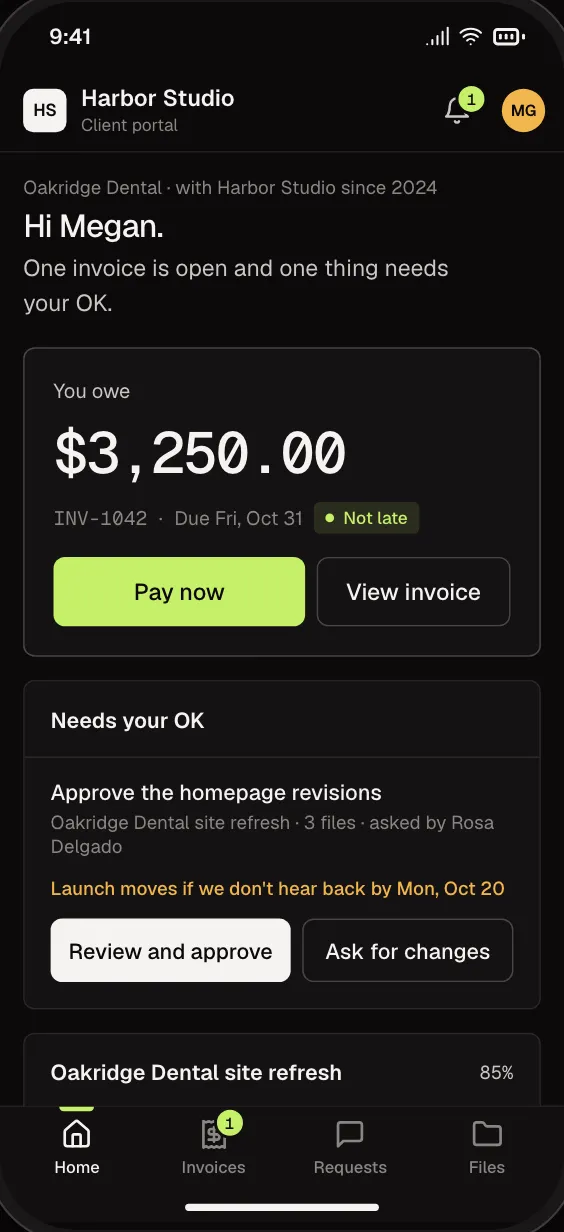
A Portal for Your Clients
Clients see their invoices and send requests from their own phone, in their browser, once you turn the portal on. Paying opens a secure Stripe page.
Works on a Bad Signal
Tasks, notes, time entries and receipts you write with no signal are kept on the phone and sent when you're back online and the app is open.
On Your Home Screen
Add it from the browser. No app store, and no update to wait for.
Split Screen on iPad
Keep it open beside your email on an iPad.
Light or Dark
Follows your phone's setting, or pick the one you like.
Fifteen Tools. Show What You Need.
Every tool shares the same clients, records and permissions, so nothing needs re-entering from one tool to the next.
- Start Here
Finance
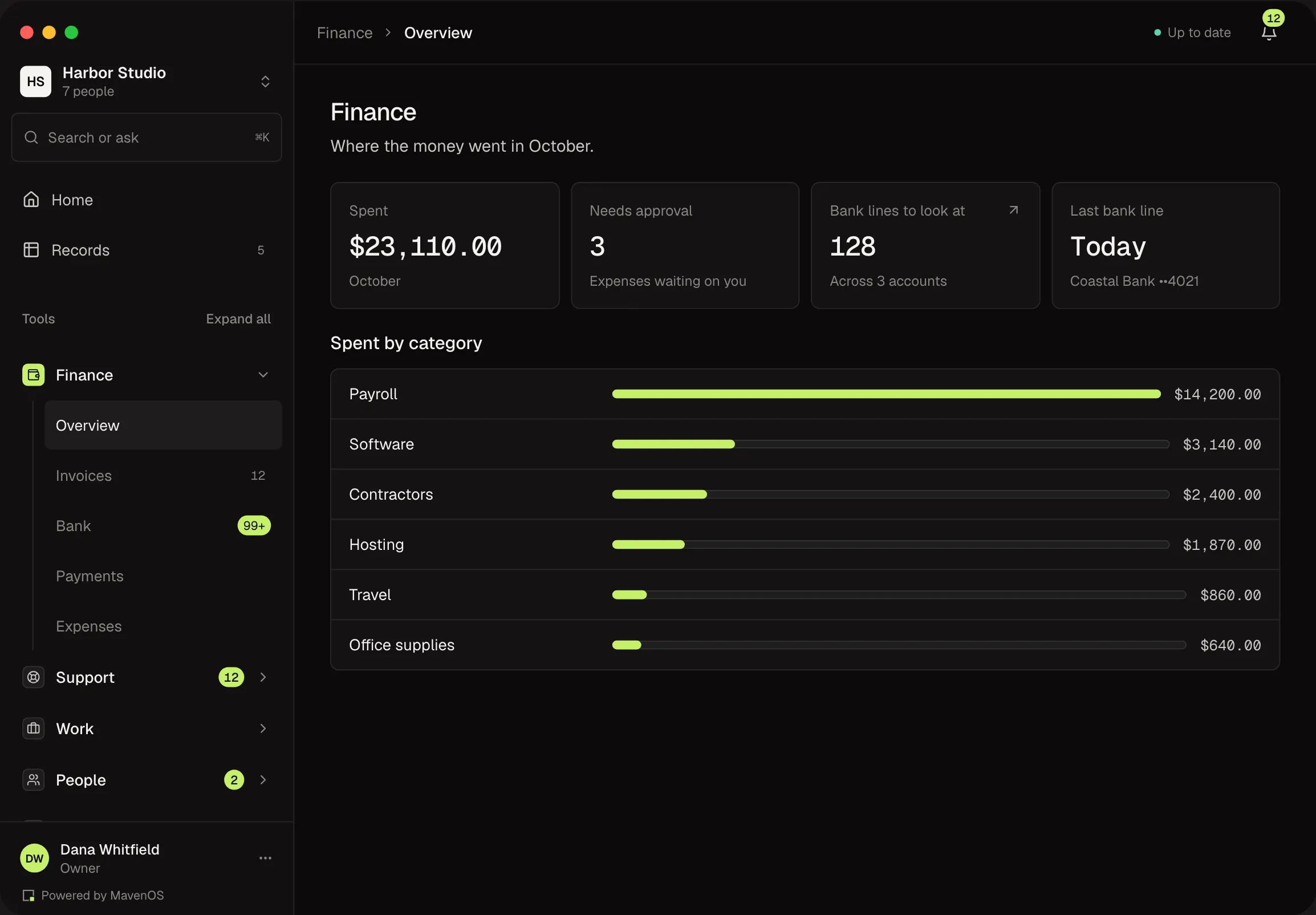
Invoices, expenses, payments and cash flow, broken down by service line and client.
Work
Projects, tasks and templates for the work you deliver.
People
Your team directory, working hours and time off.
Knowledge
Articles, brand assets and policies your team can find and trust.
Contracts
Send agreements for signature, keep every contract with its dates, and get reminded before a renewal or a notice deadline.
Legal
Your company's records and a calendar of filings, licenses and renewals, with reminders before each date.
Sales
Inquiries, companies, contacts and deals, with the steps that move a deal from proposal to a signed, invoiced client.
Workflows
Automations that draft notes for anniversaries, birthdays, re-engagement, contract reviews and holidays, and flag failed or late payments.
Support
Requests from your clients, tracked to resolution, with replies by email.
Time
Log time against projects, approve weekly timesheets, watch budgets and bill retainer overage.
Reports
How the business is doing: money in and out, who owes you, clients, sales and team workload, with plain-English notes.
Assistant
Find anything in your workspace with Cmd/Ctrl+K, and let your own Claude read your business data.
Sites
Watch your websites: whether they are up, how fast they answer, and when certificates and domains expire.
Content
Plan, write and review your marketing and social content, with due dates and a reminder when it's time to post.
Feedback
Ask people to review a design, document or page. Every comment stays on the thing itself.
Every Tool, One Plan
Every plan includes all the tools, and the owner switches on the ones you need. We set it up with you.
Leave Your Old Setup Without Starting Over.
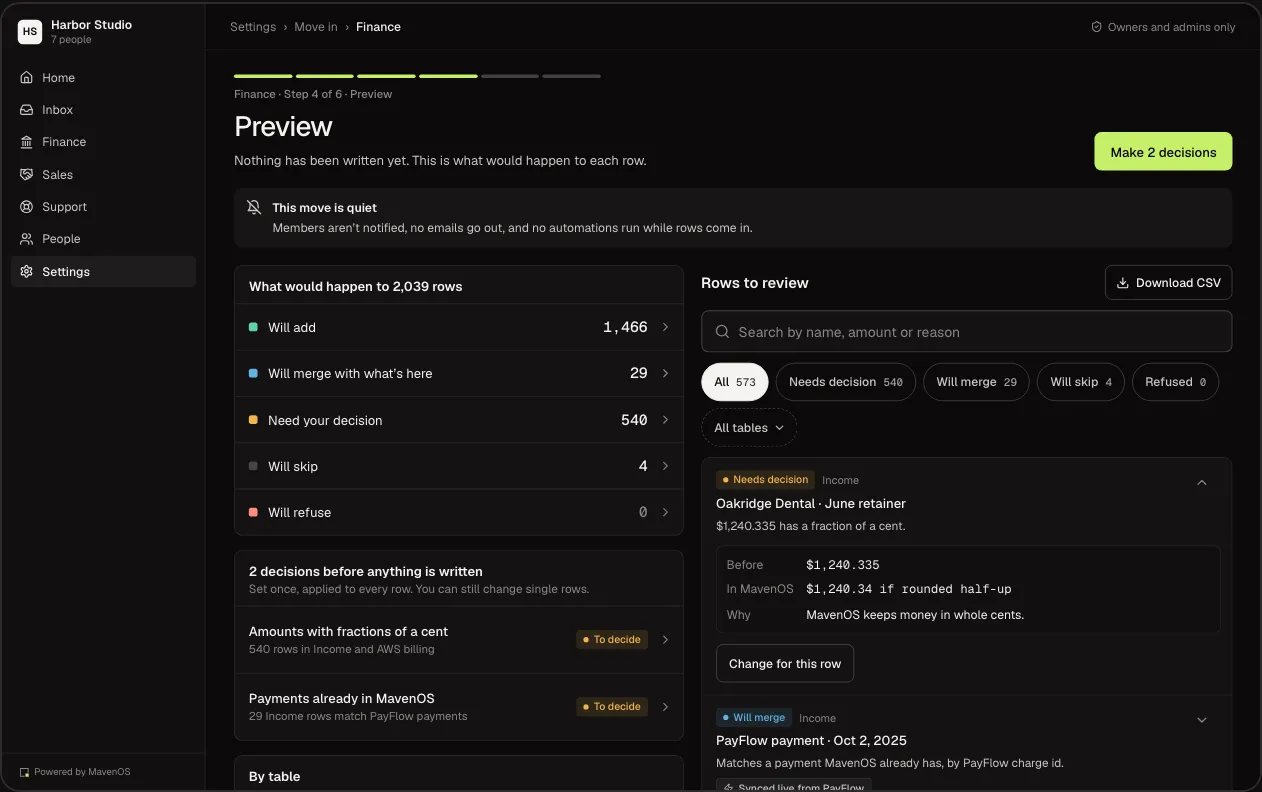
Move In brings your Finance and Sales records over from the one spreadsheet-style database tool we connect to today, one area at a time, and client lists, contacts, deals and products from an Excel, OpenDocument or CSV file. Owners and admins run the move. Your old setup is only read, and keeps running until you switch it off.
Connect
Connect where your records live today with a read-only token. MavenOS only reads them; nothing there changes.
Match
Pick the tables to bring over. MavenOS suggests where each field belongs, and you confirm.
Check
See every record before it's written, and fix the odd ones by hand.
Switch Over
Run both side by side until the numbers or counts match. Until you mark the move done, you can undo it: it takes back what the move added and restores what it changed, except anything you have edited since.
Your Workspace Stays Yours.
Roles for Everyone
Owners, admins, finance, members and view-only seats, plus outside collaborators on projects you share. Clients only ever see their own portal.
Two-Step Sign-In
An authenticator app or a passkey on top of your sign-in. Owners can require it for every person in the workspace.
Support When You Say So
The Maven X team only opens your workspace with your approval, for a set time, and only the tools you allow.
Every Change Recorded
Who changed what, and when, is recorded. Owners and admins can look back and export it.
We run our own work, sales and knowledge on MavenOS, before we sell it to anyone else.
- Shaped Around How You Earn. Revenue broken down by client and by service line, with time and team workload beside it.
- One Workspace per Business. Run more than one business from one sign-in, and switch without signing out.
- Support From People. Ask for help inside the app and the Maven X team will get back to you.
Run the Business. Not the Spreadsheets.
We're letting businesses in a few at a time. Tell us a little about yours and we'll be in touch.
Talk to Maven X