

MavenOSMoney
Know What's Safe to Take Out.
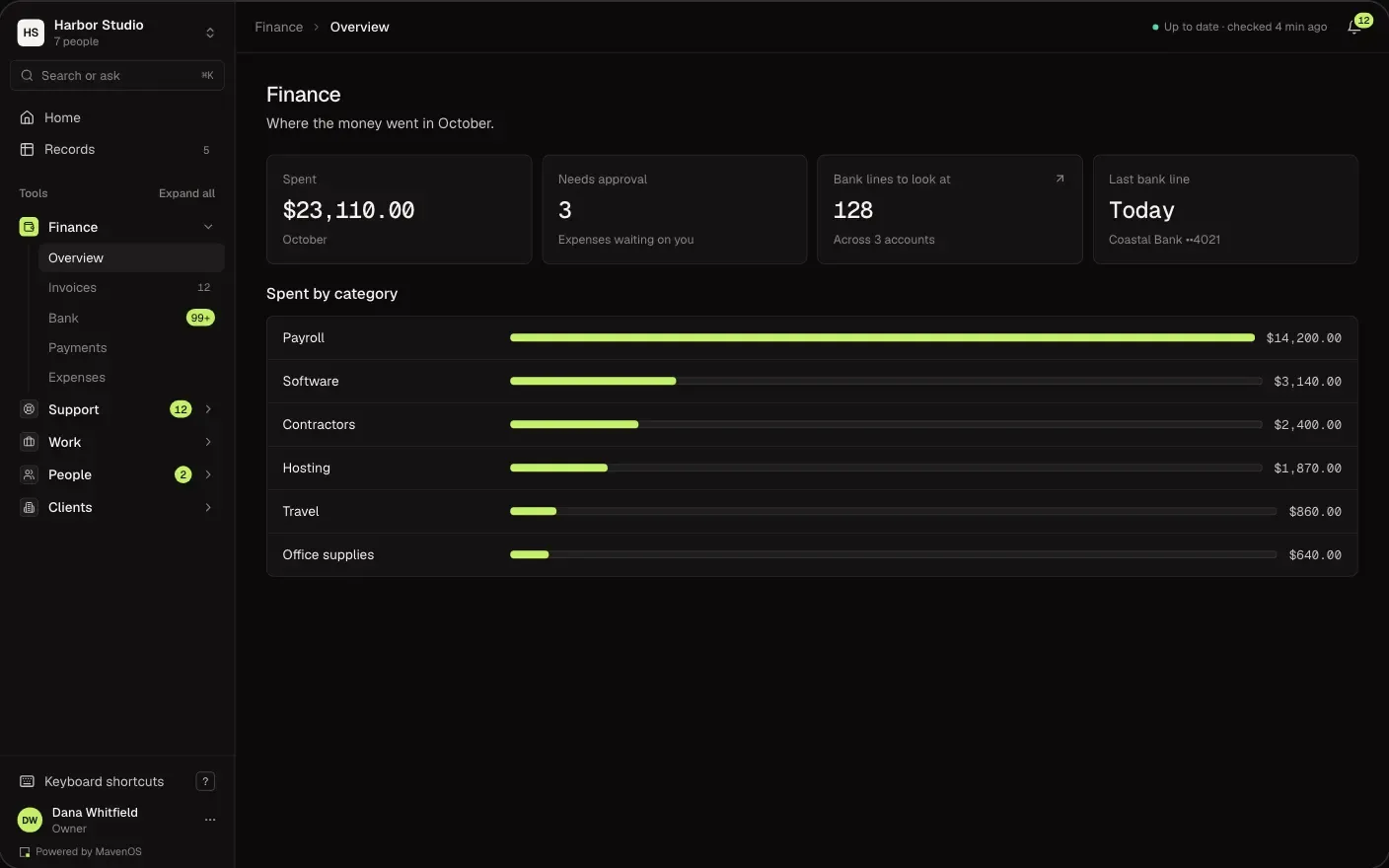
Invoices, expenses, bank lines and reports in one place, sorted by your rules and explained in plain English. Then one number: what you can pay yourself this month.
Your Books, in Plain English.
What Most Tools Show
- Uncategorized128
- Owner draw capacity—
- A/R 31–607,140.00
- Gross margin39.8%
What MavenOS Says
- 128 bank lines need a look. Your rules have filed some of them.
- You can safely take out 4,200 dollars this month.
- Two clients are late paying you 7,140 dollars.
- You kept 40¢ of every dollar you earned.
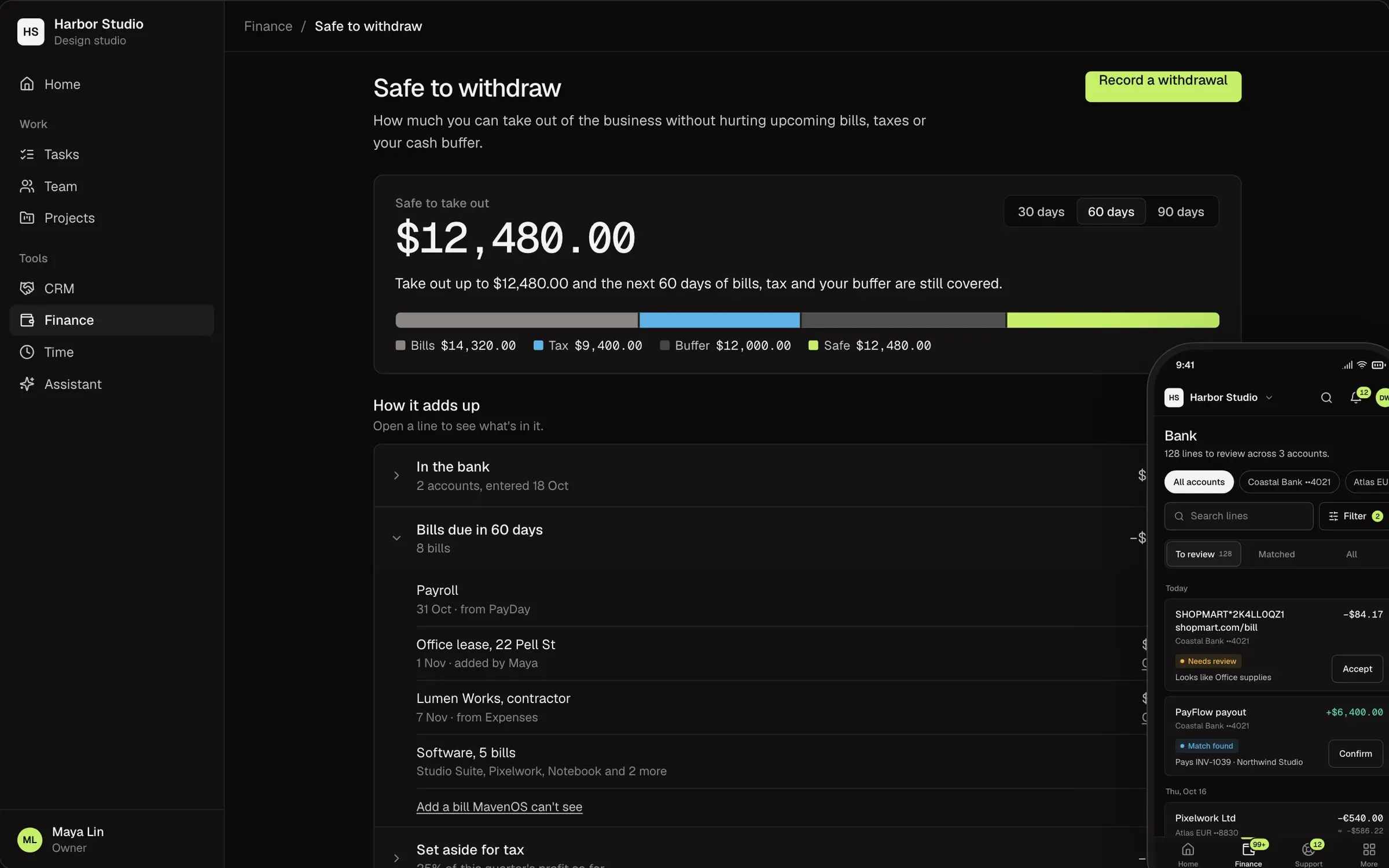
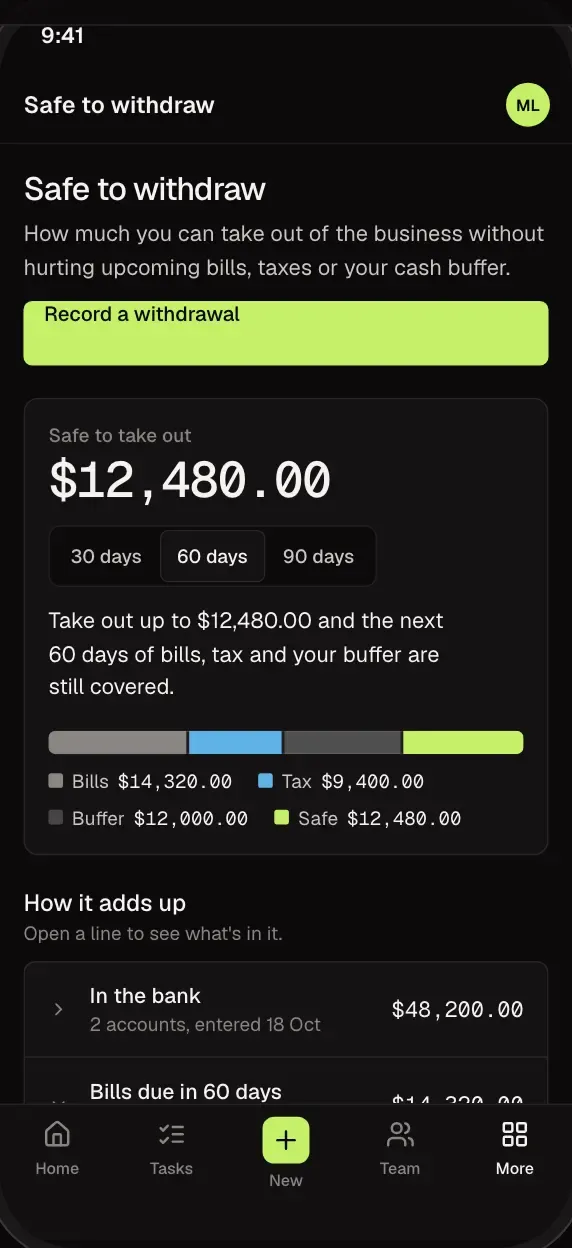
Safe to Withdraw
One Number Before You Pay Yourself.
MavenOS holds back what's already spoken for: bills coming up, money for taxes and the cash buffer you choose. What's left is safe to take out, and every line behind it is shown.
- See which bills and taxes are being held back.
- Pick the size of your cash buffer.
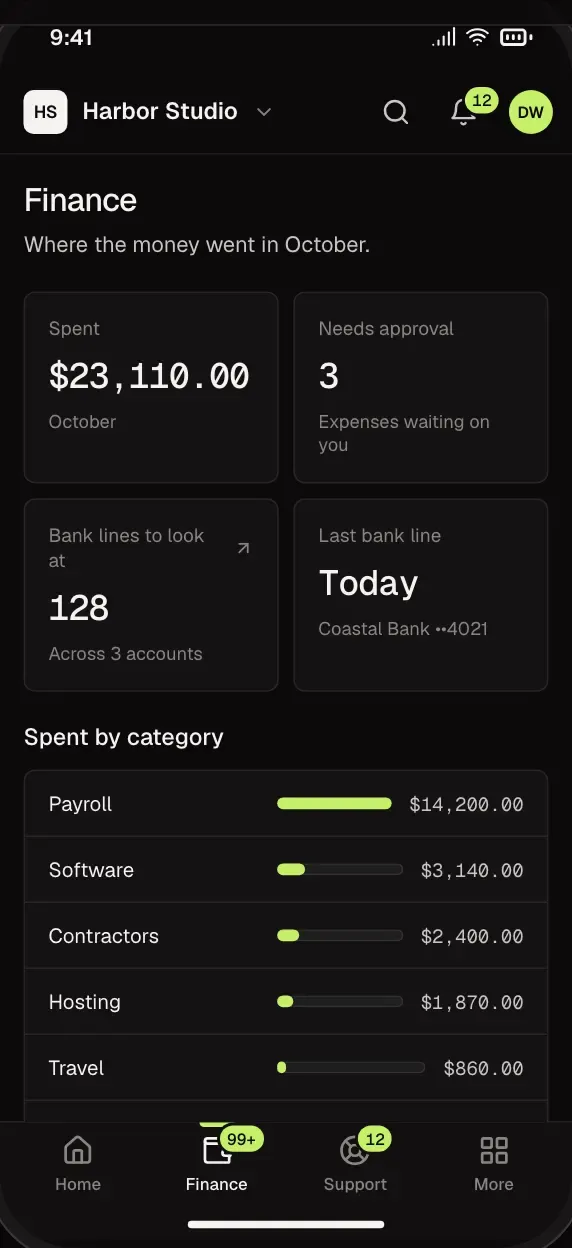
- Check it from your phone before you move money.
Bank
Clear the Bank in Minutes, Not Evenings.
Bank and card lines your rules recognise arrive filed and waiting for your yes. Accept with a tap, change it, or ignore the ones that are not business.
- Money in is matched to the payouts that paid it.
- Turn any line into a rule, and it files the next ones.
- Set aside a filing that got it wrong.
Invoices
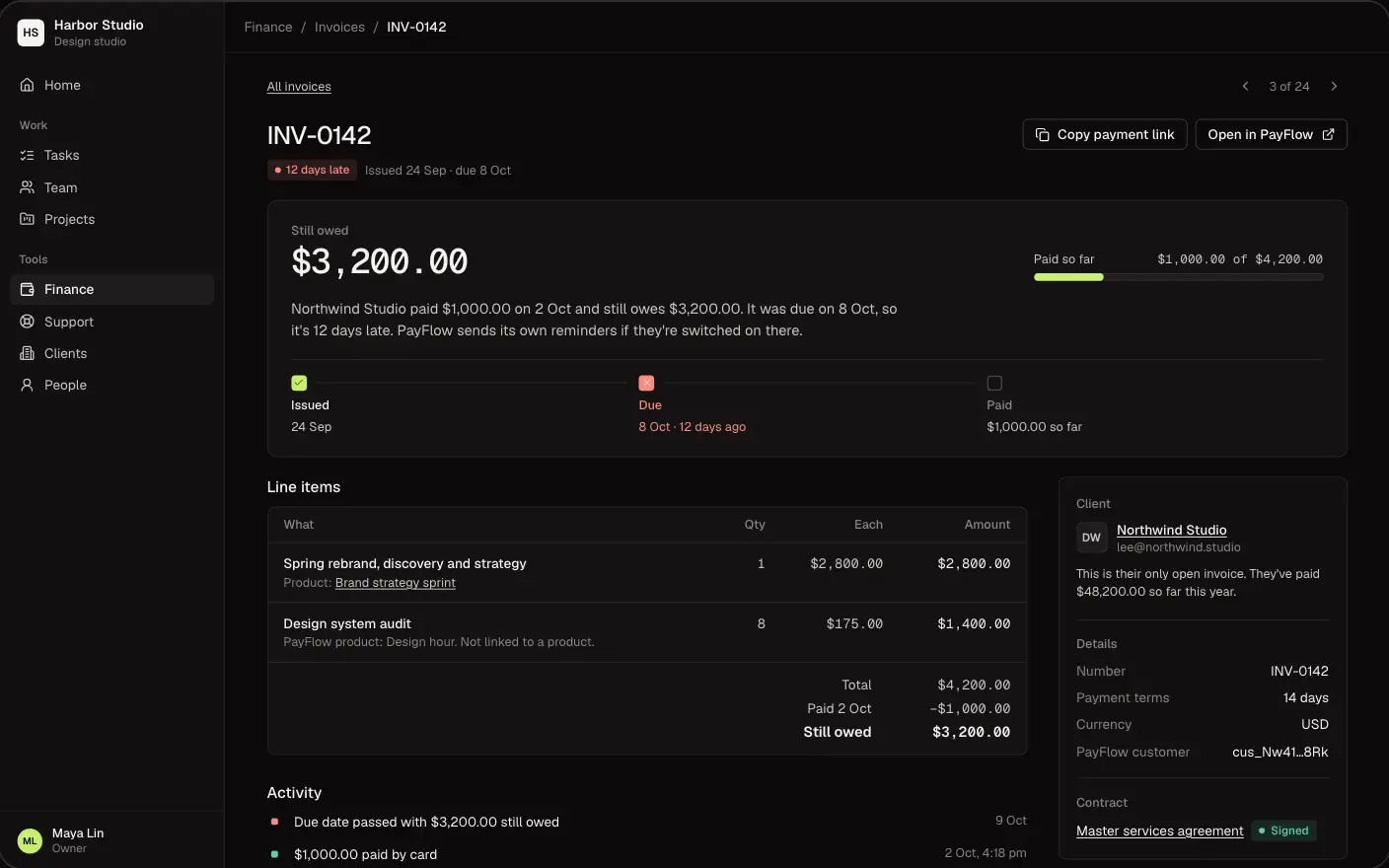
Get Paid Without Chasing.
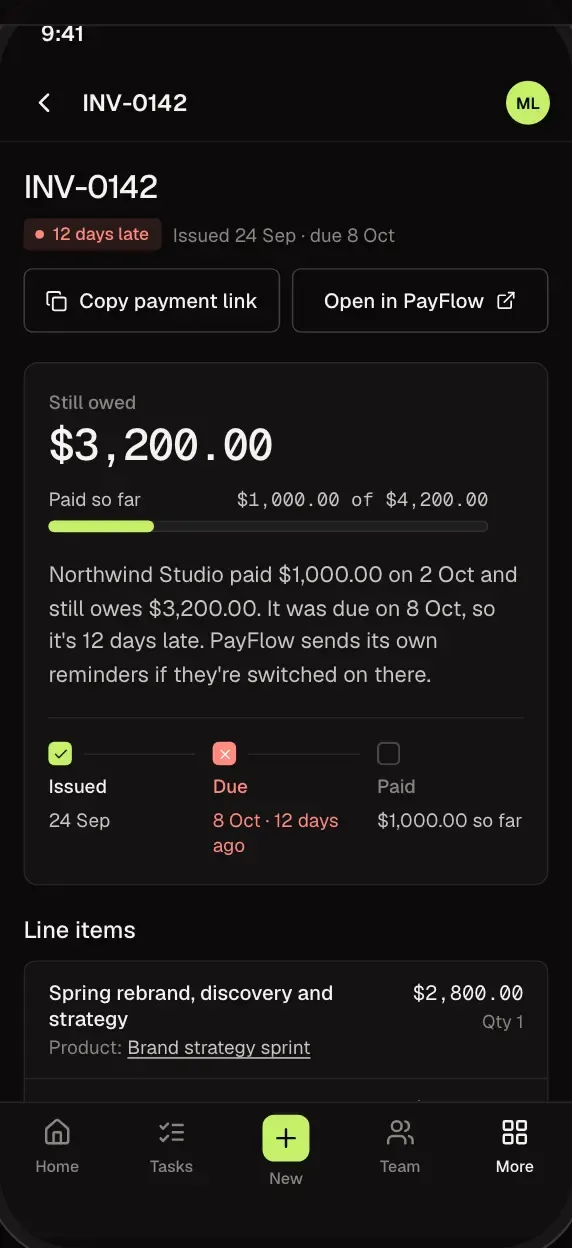
See who owes you and how late they are. A reminder is drafted for each late invoice and waits for you to send it, and clients can open the pay link from their own portal.
- Late, due and paid, at a glance.
- Reminders wait for you to send them.
- Clients see their invoices on their own phone.
Finance and Reports
Your Numbers, Explained.
Money in and out, revenue by client and by service line, and who owes you, each with a plain-English note on what changed.
- Revenue by client and by service line.
- Notes that say what changed since last month.
- A view-only seat for your accountant.
Yes. MavenOS keeps the books sorted and matched, so their time goes further. Give them a view-only seat to see everything without changing anything.
Yes. Bank and card lines come in on their own. Accounts in other currencies are planned.
No. It's the money you have, minus what's already promised. Your accountant still has the final word.
Yes. Move In brings your records over one area at a time, starting with Finance, and your old setup is only read.
Only the people you allow. Owners choose who sees Finance, and clients only ever see their own invoices.
More of MavenOS.
All 13 ToolsRun the Business. Not the Spreadsheets.
We're letting businesses in a few at a time. Tell us a little about yours and we'll be in touch.